
Short version: the Quick PWA Plugin costs ৳950 at Subscriptions in BD, paid once with bKash, Nagad or Rocket. It turns your WordPress site into a Progressive Web App, so Android visitors can add it to their home screen and open it like an app. Also, we send the plugin within 10 minutes to 3 hours after payment.
Last updated: 21 November 2026 · Written by MD Rasidul Haque, who runs several WordPress and WooCommerce sites for Bangladeshi buyers.
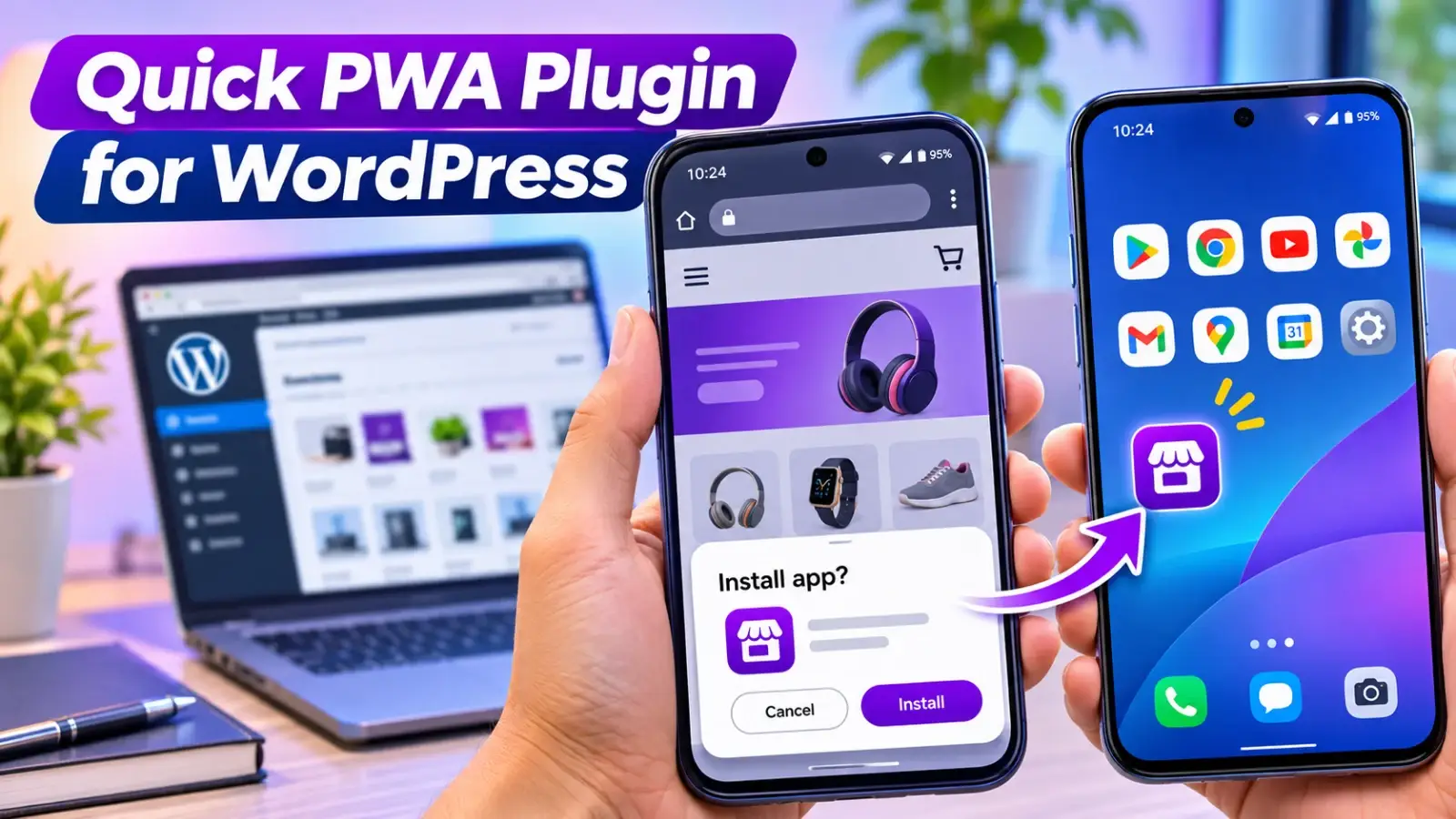
A Progressive Web App is simply your normal website with a few extra files. One file tells the phone your site name, colours and icon. Another file, called a service worker, lets the browser save parts of the site. As a result, the phone treats your website almost like an installed app.
For example, a visitor opens your shop in Chrome on Android. Then a small bar or button appears that says “Install app” or “Add to Home screen”. After one tap, your logo sits next to Facebook and bKash on their phone. Next time, they open your shop straight from that icon, without typing your address or searching Google.
Writing those files by hand takes coding skill. Instead, the Quick PWA Plugin creates them from inside the WordPress dashboard. So you pick an app name, upload an icon, choose a theme colour and save. In short, you get an installable site without touching code or hiring a developer.
Google explains the technology in its free PWA course on web.dev, if you want the technical side.
Here is how the visitor experience changes once the plugin is set up properly.
| Moment | Without a PWA | With the Quick PWA Plugin |
|---|---|---|
| Coming back to your site | Search Google or find an old link | Tap the icon on the home screen |
| How the site opens | Inside a browser tab with an address bar | Full screen, like a normal app |
| Loading screen | Blank white page while loading | Your logo and brand colour (splash screen) |
| Brand reminder | Your site is one tab among many | Your logo stays on their phone every day |
| Cost to you | Nothing extra, but fewer repeat visits | ৳950 once |
Still, a PWA does not replace good content or fair prices. It simply makes it easier for people who already like your site to return.
Answer these five questions honestly. If you say “yes” to three or more, the plugin is worth ৳950 for you.
On the other hand, a one-page portfolio or a site people visit only once will see little benefit. In that case, spend the money on speed or content instead.
 WhatsApp GroupJoin Now
 Telegram GroupJoin Now
 Facebook GroupJoin Now
Many shop owners in Bangladesh first think about hiring someone to build an Android app. That is a fine plan for big brands. However, the numbers look very different for a small business.
| Point | Quick PWA Plugin | Custom Android app |
|---|---|---|
| Typical cost in Bangladesh | ৳950 once | Roughly ৳40,000 to ৳2,00,000+ |
| Time to go live | Same day | Several weeks |
| Play Store account | Not needed | Needed, plus Google review |
| Updating products or posts | Automatic, from WordPress | Often needs app updates |
| Works on iPhone | Yes, through Safari “Add to Home Screen” | Needs a separate iOS app |
| Deep phone features | Limited | Full access |
So, for most WooCommerce shops, blogs and news sites, the plugin gives about 80% of the app feel at a tiny share of the cost. Later, if your business grows, you can still build a native app.
We would rather you buy once and stay happy. So here is what you should know first.
This Bangla walkthrough shows the general process of turning a PHP or WordPress website into an installable mobile app with PWA. The screens differ a little from plugin to plugin, but the idea is the same.
Video by Techno Smarter. Watch on YouTube.
First, keep a square logo ready, at least 512 × 512 pixels in PNG. Then follow these steps.
If anything looks wrong, send us a screenshot. Our team will help you finish the setup at no extra cost.
Ordering takes a few minutes. Simply click Buy Now or the WhatsApp button, pay ৳950 with bKash, Nagad or Rocket, and share your transaction ID. Then we send the plugin ZIP and a short setup guide within 10 minutes to 3 hours.
Because this is a digital file, refunds follow our Terms and Conditions. If you face any problem, please reach us through the contact page.
Also, you can browse more themes and plugins in our WordPress Plugins & Themes category. Or, visit the Subscriptions in BD homepage for AI tools, software and other digital products in Bangladesh.
It costs ৳950 at Subscriptions in BD. This is a one-time payment with lifetime use of the file you receive.
No. A PWA installs straight from the browser. Visitors do not need the Play Store, and you do not need a developer account.
Yes, but iPhone users add it manually. They open your site in Safari, tap Share and choose “Add to Home Screen”.
No. Everything is set from the WordPress dashboard. Plus, our team helps if you get stuck.
Normally, no. The extra files are small. In fact, a service worker can make repeat visits feel faster.
Yes. Shoppers can browse, add to cart and check out inside the installed app, the same as on your website.
Usually within 10 minutes to 3 hours after we confirm your payment.
No. You get the current version with lifetime use. Official updates and developer support are not included.
বাংলায় সাধারণ প্রশ্ন
Subscriptions in BD থেকে মাত্র ৳950 এককালীন পেমেন্টে কিনতে পারবেন। বিকাশ, নগদ বা রকেটে পেমেন্ট করা যায়।
হ্যাঁ। ভিজিটর একবার ইনস্টল করলে আপনার সাইটের আইকন ফোনের হোম স্ক্রিনে থাকবে এবং অ্যাপের মতো খুলবে।
পেমেন্ট নিশ্চিত হওয়ার পর সাধারণত ১০ মিনিট থেকে ৩ ঘণ্টার মধ্যে আমরা প্লাগইন ফাইল পাঠিয়ে দিই।



Reviews
There are no reviews yet.